Long ago, I realized it would be a good idea to take an inventory of my meds about a week before each trip I take, to ensure I’ll have enough to last me through the trip. For a long time, I did all the math in my head. But the number of prescriptions keeps growing, and so does the number of places where I keep them. So, before my last trip (Vermont), I decided to build a spreadsheet to help me with this task. It occurred to me that I’m surely not the first person to do this, but I’m also surely not the last. So, in hopes that some o’ y’all may get some use out of this, I am making my creation freely available to download. Here’s a quick preview of the beast, which I call MedSpred:
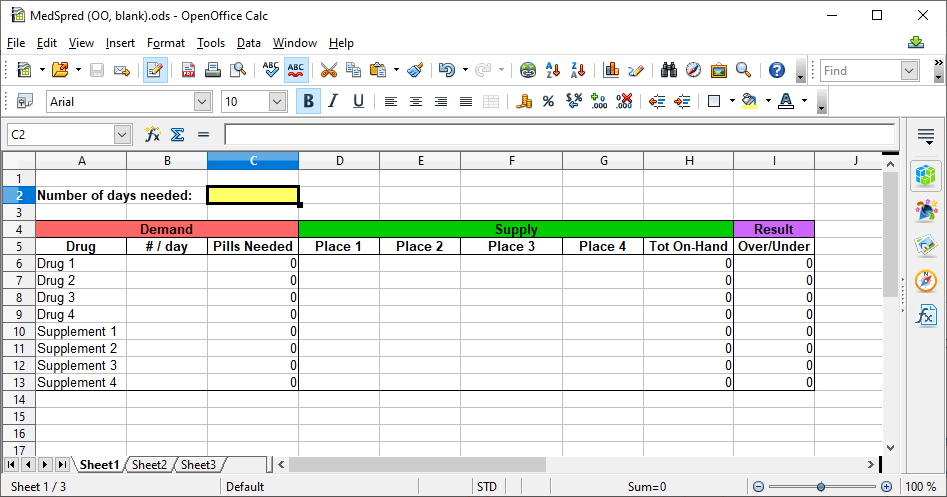
Start by typing the names of all your medications and/or dietary supplements into the “Drug” column under the red section. If you need to add more lines for more meds, you should be able to add lines normally. The formulas should be entered automatically, so your new row should have zeroes in columns C, H, and I. Now, in Column B under the Red “Demand” section, enter the number of pills you take per day, for each medication / supplement.
Next go to Row 5, directly under the green bar, and enter a short name or description for each place where you keep a stash of meds. For example, I keep the bulk of my daytime meds in the kitchen, the bulk of my bedtime meds in my bedroom, a day or so worth of meds in a fanny pack I keep just inside my front door, and a two-day supply in my Aware In Care kit (which lives in the trunk of my car). If your meds are strewn across more than four locations, you may add more columns (again, the formulas should be updated automatically), but you should seriously consider consolidating.
Now the math fun begins! In the yellow cell (C2), enter the total of number days you need to have covered – including the days between now and your trip (e.g., if you will be leaving 7 days from now, on a 7-day trip, you would enter 14). Lo and/or behold, column C now shows how many total pills you will need for each medicine and/or supplement! Go now, if you will, to each of your med stashes. Enter the number of pills of each medicine at each cache. Unless you only have unopened bottles, this will require actual counting.
Once you have entered all of your information as described above, look at the purple-headed “Result” column. A negative number means you don’t have enough of that drug /supplement to last the whole trip. Contact your pharmacy / doctor immediately to make sure you can get the amount you need before you have to leave. If you get a result that’s at or near zero, you might want to contact your pharmacy / doctor while you’re away, to make sure your meds are waiting for you as soon as you get back.
In case it helps, here’s an example, showing my completed MedSpred for my last trip:

If you’ve gotten this far and think you want to give MedSpred a try, click here to see the available files.
 Voyages with Parkinson's